The classroom of 2026 and beyond will look different from today’s. As schools adopt AI tools, blended learning, microcredentials, and more immersive technology, teachers are expected not only to know subject content but also to confidently design digital learning experiences, protect student data, and coach students in digital literacy.
Whether you teach in Nairobi, New York, or a rural school, investing in the right digital skills will make your lessons more effective, your career more resilient, and your students better prepared for the future.
Below are the most in-demand digital skills for teachers heading into 2026 — why they matter, concrete ways to learn them, and tools you can start using this week.
Contents
1. AI Literacy & Prompting for Education
Why it matters: Generative AI is reshaping lesson planning, assessment design, and personalised support. Teachers who can prompt AI responsibly, verify outputs, and design AI-assisted activities will save time and boost learning outcomes. The World Economic Forum and education leaders are increasingly calling AI literacy a core competency for educators.
What good looks like: Using AI to draft differentiated lesson plans, design formative assessment prompts, generate reading comprehension variations, and create formative feedback — while checking for bias and accuracy.
Read more on Generative AI prompt engineering.
How to learn it:
- Start with short courses on “AI for teachers” or “prompt engineering for educators.”
- Practice building prompts for tasks you already do (lesson outlines, quiz questions).
- Learn about AI ethics and data privacy relevant to students.
Tools to try: ChatGPT (with educational guardrails), Google’s AI Teach tools, and teacher-focused AI platforms.

2. Digital Pedagogy & Blended Learning Design
Why it matters: Knowing how to use technology is different from designing learning experiences for digital or hybrid environments. UNESCO’s competency frameworks emphasize that teachers should integrate ICT into pedagogy — not just use gadgets. Teachers who design effective blended learning sequences raise engagement and learning retention.
Technology will never replace great teachers, but teachers who use technology effectively will replace those who don’t.
What good looks like: Creating lessons that combine short direct instruction, online interactive tasks, and reflective offline practice. Using data from LMS quizzes to adapt instruction.
How to learn it:
- Study blended learning models (flipped classroom, station rotation).
- Take microcredentials focused on digital pedagogy or instructional design.
- Observe example lesson plans and adapt them to your syllabus.
Tools to try: Moodle, Google Classroom, Microsoft Teams for Education, and simple authoring tools like H5P for interactive content.
3. Assessment Literacy for Digital Environments
Why it matters: Digital assessment is more than moving paper tests online. It includes formative checks, automated grading, authentic performance tasks, and analytics. Understanding assessment design helps teachers align digital tools with learning outcomes. The Future of Jobs and education reports stress skills that combine technical and human judgement.
What good looks like: Using formative quizzes with immediate feedback, rubrics for digital projects, and learning analytics to spot struggling students early.
How to learn it:
- Learn rubric design and item-writing for online quizzes.
- Use small experiments (1-week quiz cycles) to gather data and iterate.
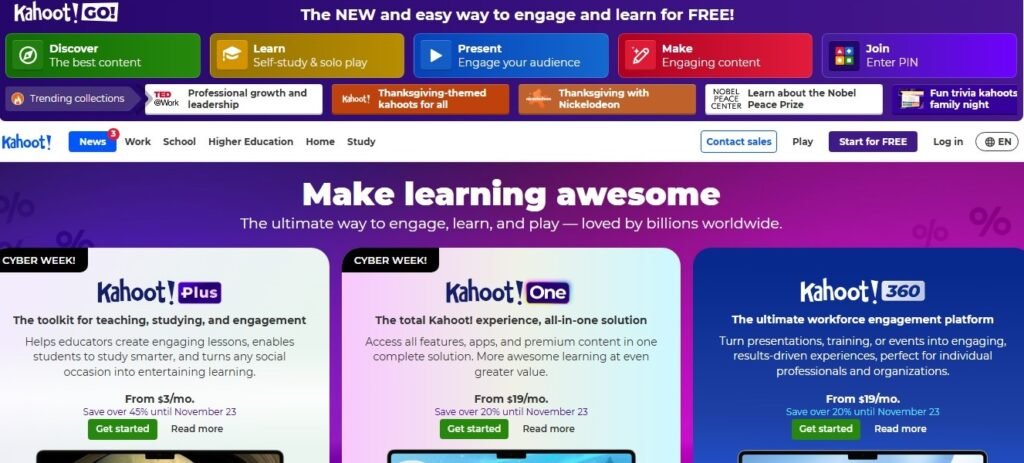
Tools to try: Kahoot, Quizizz, Google Forms, and LMS analytics dashboards.
4. Digital Classroom Management & Remote Facilitation
Why it matters: Managing online behaviour, creating inclusive digital norms, and facilitating productive synchronous sessions are essential as hybrid models persist. Teachers must manage chat, breakout rooms, and promote equitable participation online.
What good looks like: Clear digital classroom rules, effective use of breakout rooms, and built-in check-ins for wellbeing.
How to learn it:
- Observe master teachers’ recorded online lessons.
- Practice facilitation techniques (cold calling, polling, virtual hands).
- Develop clear routines and digital citizenship lessons for students.
Tools to try: Zoom, Google Meet, Mentimeter, Padlet.
5. Instructional Use of Data & Learning Analytics
Why it matters: Data from quizzes, attendance, and engagement can inform targeted interventions. Teachers skilled at interpreting simple dashboards can personalise instruction and demonstrate impact to administrators and parents.
What good looks like: Spotting trends (e.g., a class weak in inference questions), creating small interventions, and measuring effects.
How to learn it:
- Learn basic spreadsheet skills (filters, pivot summaries).
- Learn to read LMS or assessment tool dashboards.
- Start small: track one metric (e.g., quiz average) across three weeks.
Tools to try: Google Sheets, Excel, LMS analytics, and teacher dashboards in popular edtech platforms.
6. Multimedia Content Creation & EdTech Tools
Why it matters: Teachers who can create short explainer videos, micro-lectures, and engaging multimedia will increase engagement and make asynchronous learning practical. With microlearning on the rise, short, focused multimedia matters more than long lectures [Exploding Topics]
What good looks like: Crisp 3–7 minute “micro-lesson” videos, annotated slides with voiceover, and interactive modules that students can revisit.
How to learn it:
- Learn basic video editing (cut, captions, audio levels).
- Master simple screen recording and voiceover techniques.
- Use templates for speed.
Tools to try: Loom, Screencastify, Canva (video), and free editors like OpenShot.
7. Cybersecurity, Privacy & Digital Ethics
Why it matters: As classrooms collect more student data, teachers must protect privacy, obtain consent, and teach students safe online behaviour. EdTech trends point to stronger emphasis on data protection and digital rights in schools.
What good looks like: Awareness of school policies, safe password practices, secure sharing of student work, and teaching students about phishing and misinformation.
How to learn it:
- Complete short courses on digital safety for educators.
- Work with school IT to understand local policies and safe tools.
Tools to try: Password managers, two-factor authentication, privacy settings in LMS.
8. AR/VR & Immersive Learning (Emerging but Strategic)
Why it matters: Immersive tech creates experiences that are hard to replicate in real life (field trips, labs). Not every teacher needs to be a 3D designer, but knowing how to integrate AR/VR lessons — or use 360° video — will be a strong differentiator. EdTech trend analyses point to growing use of immersive tools in 2025–26.
What good looks like: Short, guided VR sessions to explore a concept and reflective assignments that connect virtual experience to curriculum goals.
How to learn it:
- Start with low-cost 360° video and smartphone AR apps.
- Partner with schools or local libraries that offer VR kits.
Tools to try: Google Expeditions (or its successors), Merge Cube, CoSpaces.
9. Microcredentialing & Digital Badges Management
Why it matters: Microcredentials let teachers document and share specific competencies (e.g., blended learning design). Being able to earn and display badges improves CPD portfolios and employability.
What good looks like: A curated set of microcredentials for AI literacy, digital pedagogy, and classroom tech integration.
How to learn it:
- Enrol in reputable microcredential programs (universities, professional bodies).
- Publish a curated portfolio (Google Sites, LinkedIn).
Places to look: Coursera, FutureLearn, local teacher service commissions, and university CPD programs.
Putting It Together: A 90-Day Upskill Plan for Busy Teachers
- Week 1–2: Small audit — which tools does your school use (LMS, videoconf)? Pick one skill to learn (e.g., AI prompting or micro-lesson video).
- Week 3–6: Complete one short course or microcredential and produce a small portfolio item (a 5-minute lesson video or an AI-assisted lesson plan).
- Week 7–10: Implement the new approach in one class; collect simple data (student quiz averages, engagement).
- Week 11–12: Reflect, iterate, and add one more skill (e.g., basic analytics or AR activity).
Small, consistent practice beats occasional deep dives — especially for working teachers.
Final Thoughts on Top Digital Skills for Teachers
The digital skillset teachers need in 2026 blends human strengths (pedagogy, assessment judgement, empathy) with technical competence (AI literacy, data use, multimedia).
Start small, document your learning with microcredentials or a digital portfolio, and focus on classroom impact. Teachers who combine strong pedagogy with the right tech skills will not only futureproof their careers but also open richer learning pathways for their students.
FAQs
Top Digital Skills For Teacher in 2026
Still have more questions?
Talk to us now!
Contact UsExplore our Optimized Professional Toolkit for strategic output maximization
Join the Career Intelligence Community
Get exclusive data insights, downloadable tools, and mindful career strategies delivered monthly — no fluff, no spam.