A single job post can attract hundreds of applications. Reading every resume in full takes days. Much of that time goes to files that never reach a shortlist.
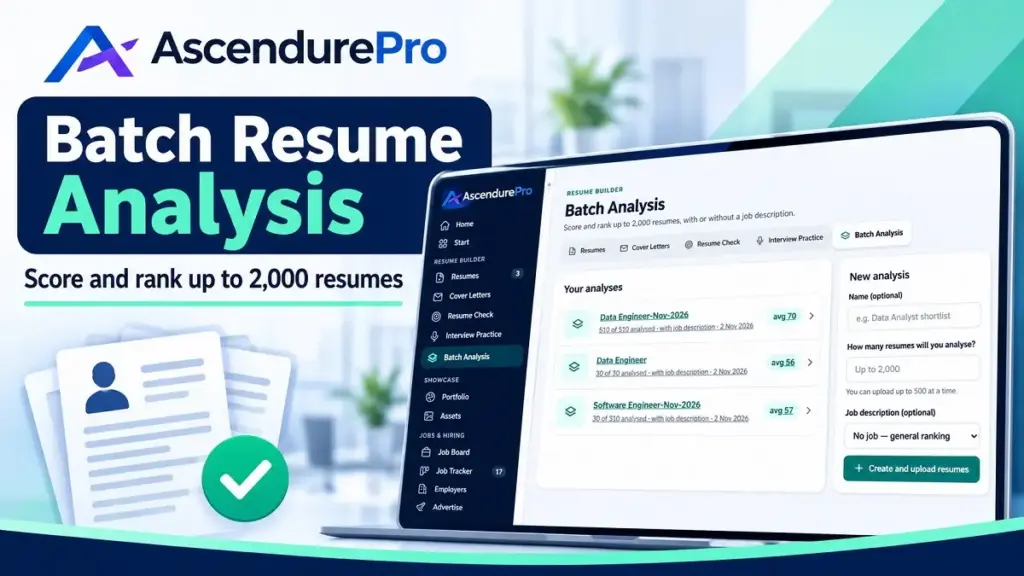
The AscendurePro resume batch analyzer scores and ranks up to 2,000 resumes against one job description. You upload zip folders. You get a ranked list, a skills-gap summary and a downloadable report.
I built this tool to cut that workload. This guide covers every step, from preparing files to deleting the batch. It also covers cost, limits and the checks that keep bulk resume analysis fair.
Key Takeaways
- The resume batch analyzer ranks up to 2,000 resumes in one batch analysis.
- Each run handles up to 500 resumes. Five resumes or 500 count as one run.
- PDF, Word and TXT files are accepted inside a zip folder.
- Rent batch analysis for 5 days from $20, or get it with the Pro plan at $50 a month.
- Results show average and median scores, a top 25 table, missing skills and common issues.
- The report downloads as PDF, CSV or Word.
- Treat scores as a ranking aid. A person should make the final decision.
Contents

Score up to 2000 resumes in batch analysis
Analyze, grade, and rank up to 2000 resumes in 4 batches. Rent or get a Pro plan.
Why Bulk Resume Analysis Is Now a Necessity
Application volume keeps climbing. Greenhouse Hire Standard benchmarks show applications per job rising from 116 in 2022 to 244 in 2025. Annual applications per recruiter grew from 146 to 746 over the same period.
Hiring teams are also smaller. Recruiters per organization fell from 10.43 to 4.62 in those years. Fewer people now read far more resumes.
Ashby’s analysis of more than 100 million applications points the same way. Applications per hire have tripled since 2021. The average role now draws more than 300.
Employers already lean on software to cope. Harvard Business School research found that over 90 percent of employers with a recruitment management system use it for a first cut or to rank applicants. The figure is 94 percent for middle-skills roles and 92 percent for high-skills roles.
Blunt filters carry a cost. The same study estimated more than 27 million “hidden workers” in the United States in 2020. Rigid rules, such as screening out employment gaps, sidelined many capable people.
The researchers urged employers to use affirmative filters that look for essential skills. That is the case for bulk resume screening software that ranks by fit. A ranked list speeds up the first pass. People then review it and decide.
What the AscendurePro Resume Batch Analyzer Does
The resume batch analyzer reads each resume in your zip folder. Like resume parsing software, it picks out skills, experience, dates and contact details. It then compares each resume with your job description.
Each candidate gets a score, a match rating and short comments. As a smart resume analyzer, it also lists what stands out and what to improve. The best-scoring candidate ranks first.
You can run it with a job description or without one. With none, the tool ranks resumes in general.
Limits and File Types
| Item | Limit |
|---|---|
| Resumes per run (one zip) | Up to 500 |
| Resumes in a full batch analysis | Up to 2,000 |
| Accepted file types | PDF, Word, TXT |
| Rental window | 5 days |
| Report formats | PDF, CSV, Word |
Pricing: Rent or Subscribe
Renting needs no subscription. You pay once and use your runs within 5 days. One run covers up to 500 resumes.
| Runs | Resumes (up to) | Price | Cost per resume at full capacity |
|---|---|---|---|
| 1 | 500 | $20 | $0.04 |
| 2 | 1,000 | $25 | $0.025 |
| 3 | 1,500 | $30 | $0.02 |
| 4 | 2,000 | $35 | $0.0175 |
The Pro plan costs $50 a month and includes batch analysis. It also includes unlimited resumes and cover letters. Check the current Pro plan pricing before you buy.
Rent if you have one hiring round. Choose Pro if you screen candidates every month. A four-run rental at $35 costs less than one month of Pro.
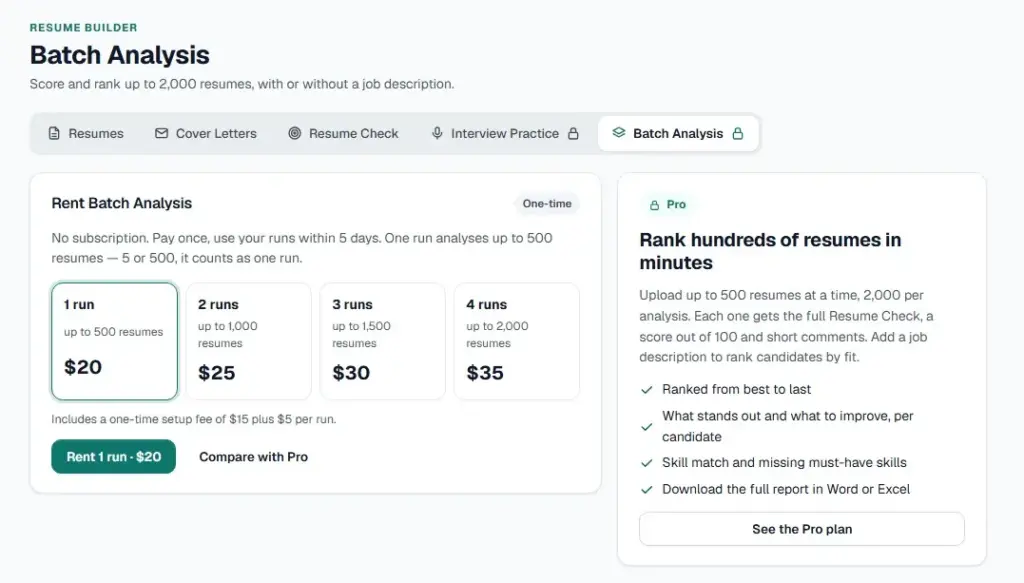
Ready to rank your first batch? Rent batch analysis from $20 and use your runs within 5 days. No subscription needed.
Rent Batch Analysis →
20% off on annual plans
Tailor your resume, get your resume analysis, create portfolio, become a career coach & more
Plan Your Batch Before You Upload
Count Your Runs
Each zip holds up to 500 resumes. Fill every run before you start another. Spare capacity is paid for but unused.
For example, 1,200 resumes need three runs: 500, 500 and 200. That fits the three-run rental at $30.
If you are a few files over a multiple of 500, remove duplicates first. That can save a whole run.
Write a Sharper Job Description
The ranking follows your job description. A vague one produces vague scores. Harvard Business School found that 72 percent of employers recycled existing descriptions for middle-skills openings.
List must-have skills first. Separate them from nice-to-haves. State years of experience only when the role truly needs them.
Name the tools, methods and outputs the person will use. If you have no description yet, run the batch without one for general ranking. You can also pick a job saved in your job tracker.
Step-by-Step: How to Use the Resume Batch Analyzer
Step 1: Prepare a Zip Folder of Resumes
Put your resumes in a zip folder. Use PDF, Word or TXT files. Keep each zip at 500 resumes or fewer.
The analyzer processes up to 500 resumes per run. A whole batch analysis can rank up to 2,000. Make extra zips for the rest.
Step 2: Go to AscendurePro
Open ascendurepro.com in your browser. Use the same browser you plan to upload from.
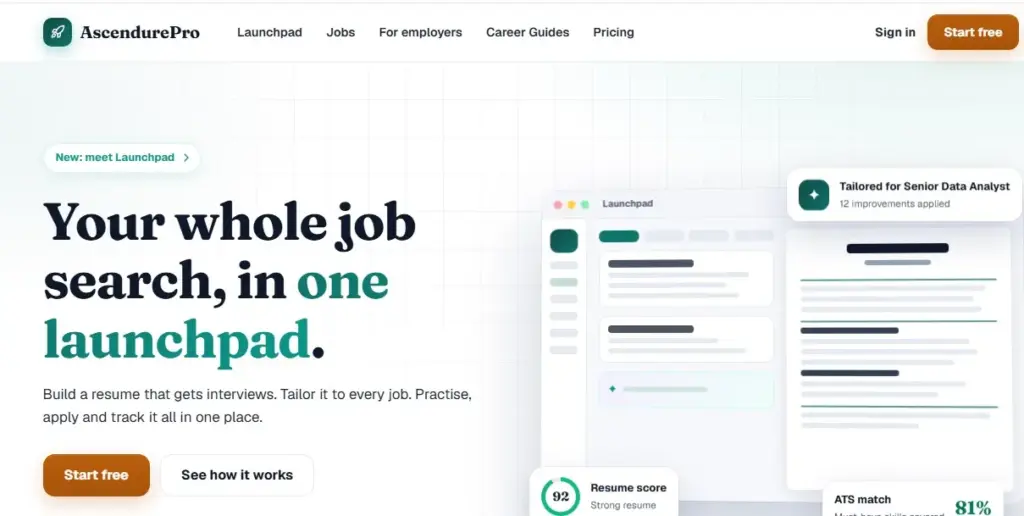
Step 3: Sign Up or Log In
Create an account if you are new. The Free plan needs no card. If you already have an account, log in.
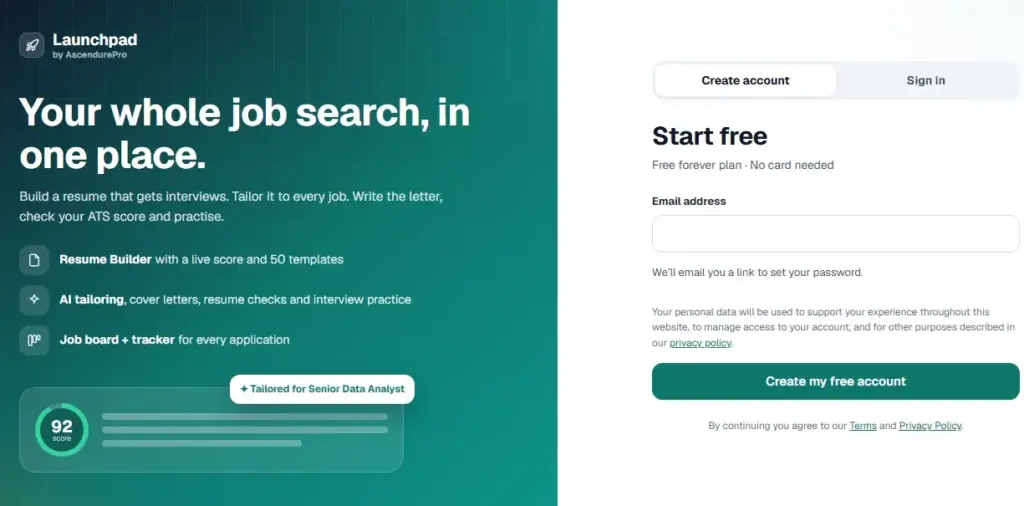
Step 4: Get Pro or Rent Batch Analysis
If you already have a Pro plan, skip to the next step. Otherwise, upgrade to Pro or rent batch analysis.
Rentals work without a subscription. Pay once and use your runs within 5 days. Pick the tier that matches your resume count.
Screen candidates every month? The Pro plan includes batch analysis, unlimited resumes and cover letters, and priority support.
Compare Pro and Standard →
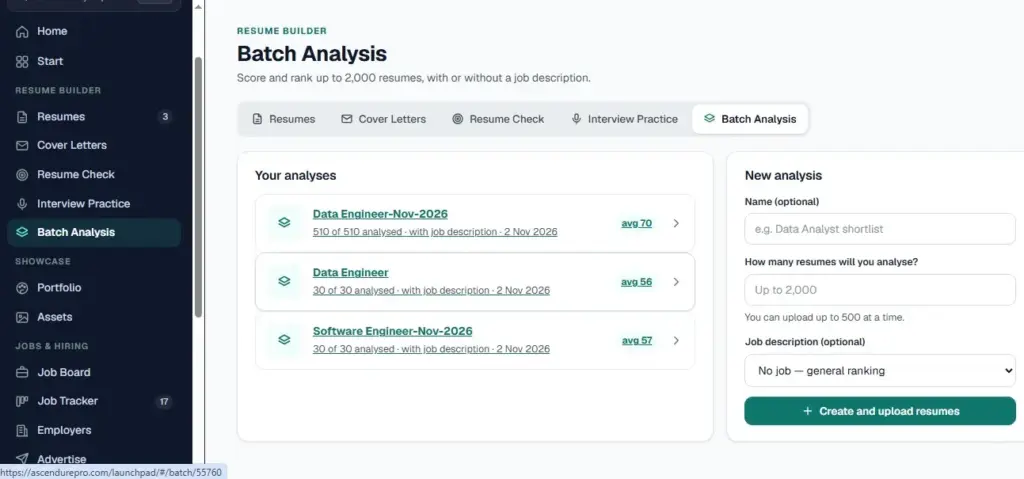
Step 5: Open Batch Analysis in the Resume Builder
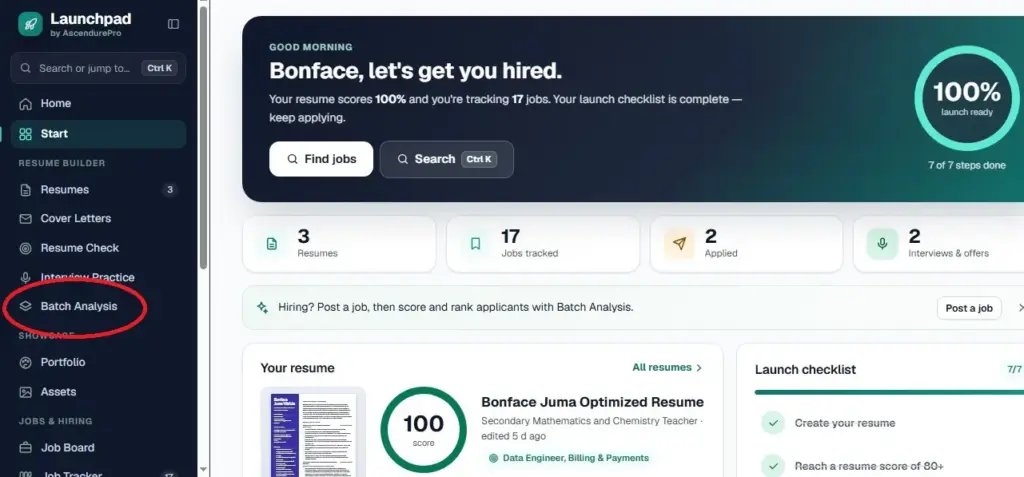
Open Launchpad. Go to the Resume Builder. Select Batch Analysis.
Step 6: Name Your Batch
Enter a name in the batch dashboard. Only you see it. Use the role and year, such as Data Analyst Shortlist 2026.
A clear name helps when you run several batches in the same week.
Step 7: Enter the Number of Resumes
Type how many resumes you plan to analyze. The maximum is 2,000.
Count your files first. An accurate number keeps your runs in line with your plan.
Free Listing
Step 8: Add a Job Description
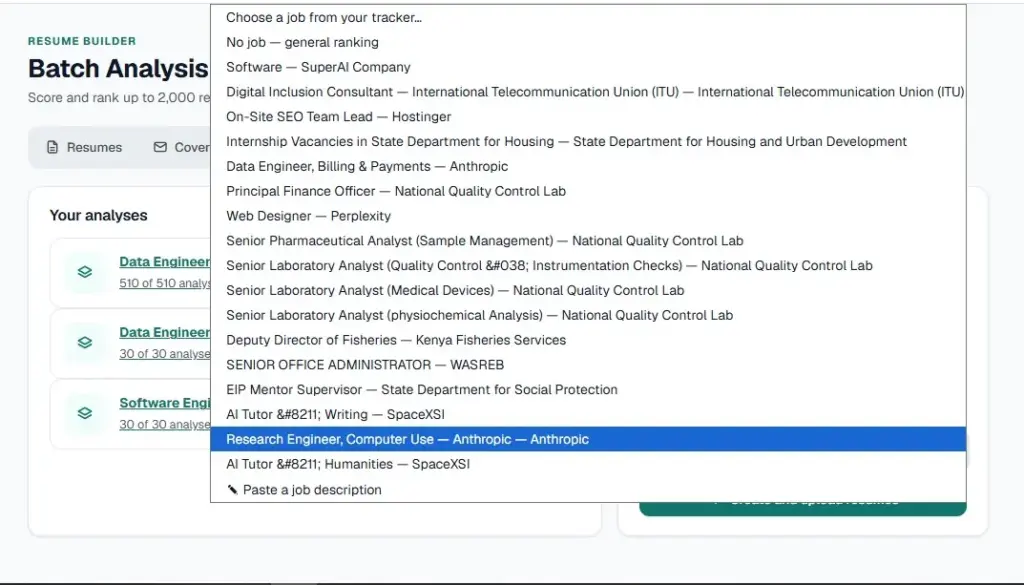
Choose one of three options:
- No job: the tool ranks resumes in general.
- Paste a job description: enter the role, the company and the job text.
- Use a saved job: pick one from your job tracker.
Then click Create and upload resumes.
Step 9: Upload Your Zip Folders
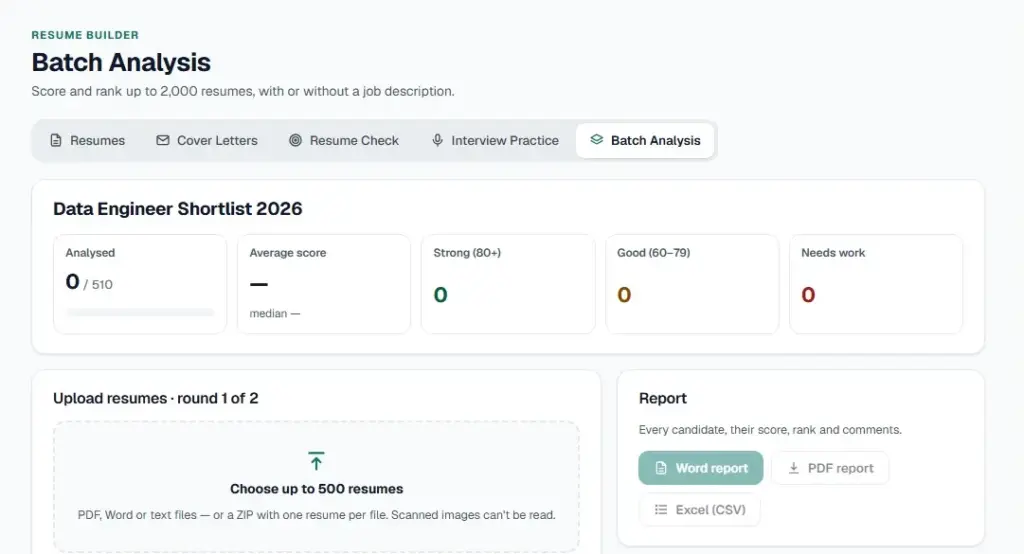
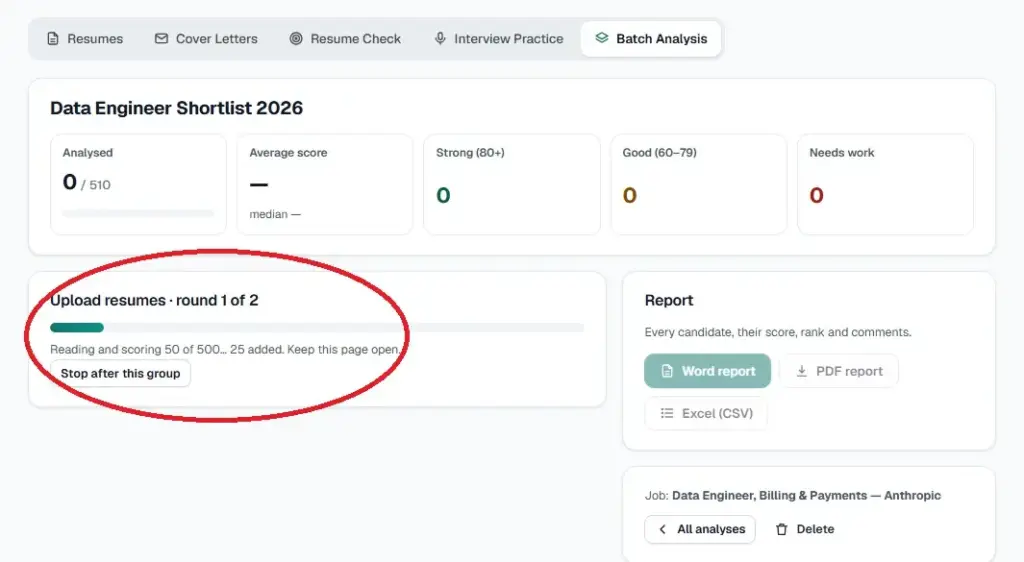
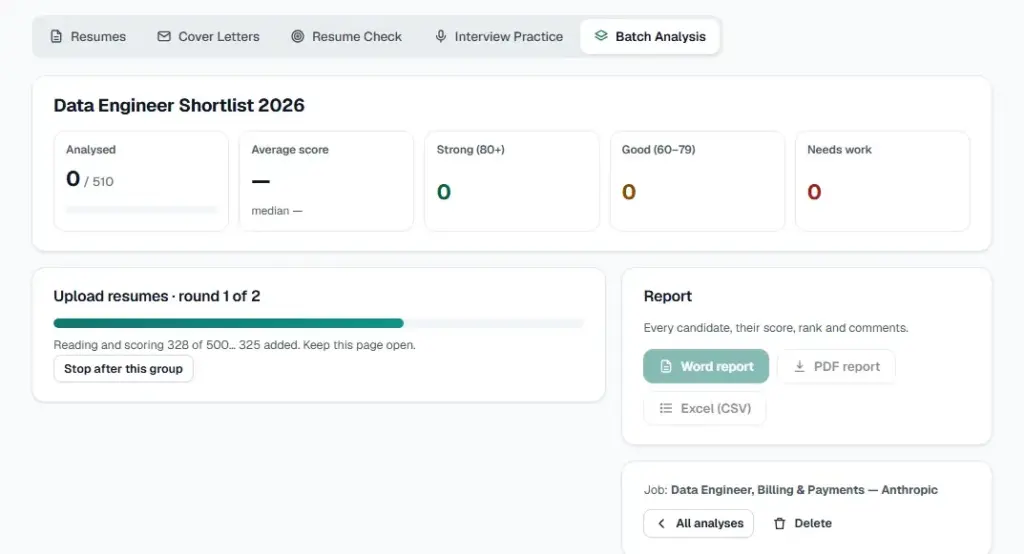
Upload your first zip. Each upload can hold up to 500 resumes. My first batch had 500 resumes. My second had 10, for a total of 510.
Scanning 500 resumes took exactly 9 minutes. At that pace, 2,000 resumes need roughly 36 minutes across four uploads. Upload the final batch when the first one finishes.
Step 10: Review the On-Screen Analysis
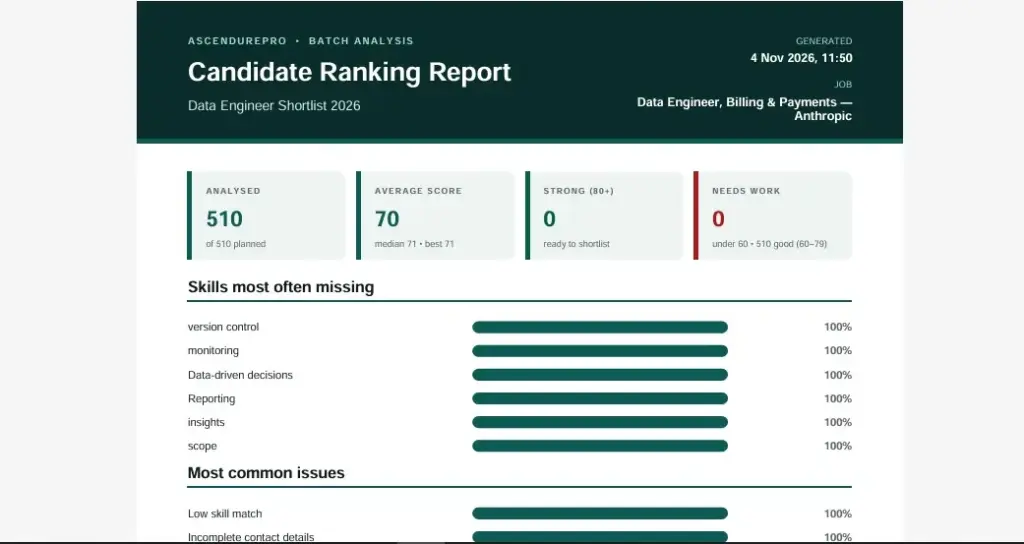
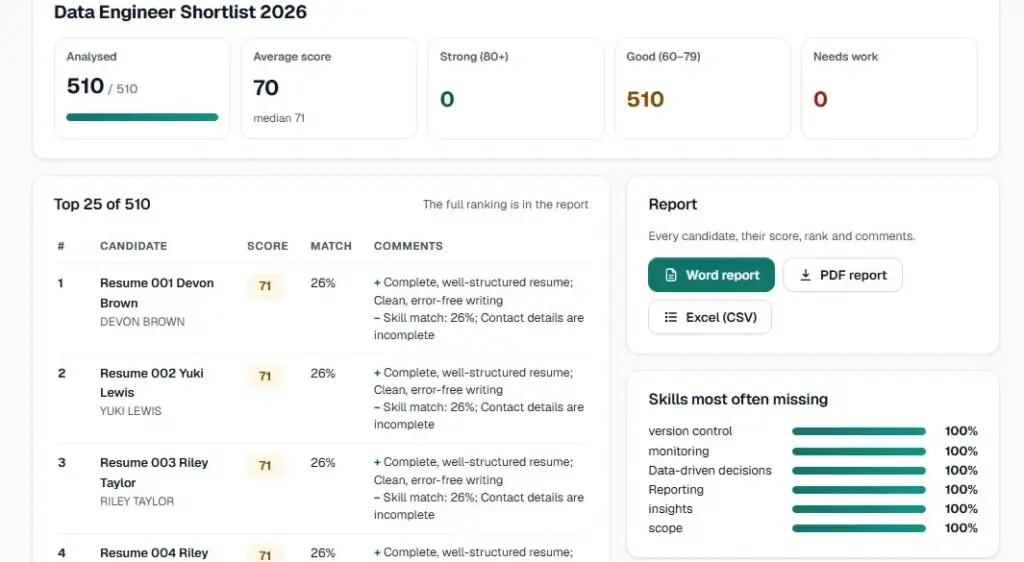
The dashboard summarizes the whole batch. It shows how many resumes were analyzed, the average and median scores, and the score bands. It also lists the top 25 candidates, the skills most often missing and the most common issues.
The next section explains how to read each part.
Step 11: Download or Print the Report
Download the report once you are satisfied. Choose PDF, CSV or Word. You can also print it.
The report ranks every scanned applicant by score, best first. It adds match, years of experience, what stands out and what to improve.
Step 12: Delete the Batch or Keep It in Launchpad
You decide what happens next. Delete the batch analysis when you finish. Or leave the saved report in your Launchpad for later.
What Your Results Show
Here is what my 510-resume test run returned:
- Analyzed: 510 of 510
- Average score: 70
- Median score: 71
- Strong (80+): 0
- Good (60–79): 510
- Needs work: 0
Score Bands
The bands group candidates into Strong, Good and Needs work. In my test, every resume landed in Good. Scores clustered around 70.
When scores bunch together, rank order matters more than the band. Use the top 25 table and its comments to separate close candidates.
The Top 25 Candidates Table
The table lists each candidate with a score, a match rating and comments. Read the comments before you read the CVs. They show why a candidate ranked where they did.
Then open the resumes of your top picks. Confirm the details yourself.
Skills Most Often Missing
This list shows the gaps that repeat across the pool. In my test they were version control, monitoring, data-driven decisions, reporting, insights and scope.
Use it two ways. First, check whether your job description asked for those skills clearly. Second, decide whether a short skills test or onboarding plan can close the gap.
Most Common Issues
My test flagged four issues: low skill match, incomplete contact details, unclear or missing dates, and achievements not quantified.
Some are easy to fix. Ask shortlisted candidates for complete contact details. Ask for exact dates on roles that matter. Review a missing date before you reject anyone, since gaps do not always signal a weak candidate.
Use Bulk Resume Analysis Fairly and Safely
Keep a Person in the Decision
Automated ranking can repeat bias. A University of Washington study tested three open-source language models. Researchers varied 120 first names across nine occupations. That produced more than three million resume and job-description comparisons.
The models preferred white-associated or male-associated names in up to 85.1% of comparisons. Male names won 52% of the time against 11% for female names. Black male names were never preferred over white male names.
Those were research models, not hiring products. The lesson still applies to any bulk resume analyzer. Check the output instead of trusting it blindly.
Three habits help:
- Read a sample of resumes ranked below the top 25.
- Record why you shortlisted each person.
- Compare your shortlist with the full applicant pool.
Know the Rules Where You Hire
The EU AI Act lists systems that filter applications and evaluate candidates as high-risk under Annex III. The Digital Omnibus entered into force on 27 July 2026. It moved those obligations to 2 December 2027. The delay is not a repeal.
If you hire in Kenya, Kenya’s Data Protection Act, 2019 applies. It sets principles for processing personal data, and Part IV covers them. Controllers and processors generally need to register with the ODPC.
Resumes hold personal data. Read the AscendurePro privacy policy before you upload candidate files. Confirm your local requirements with a qualified adviser.
Delete What You No Longer Need
Step 12 gives you control. Delete the batch when the hiring round ends. Keep only the report you need for your records.
Practical Tips for Better Shortlists
Finalize the job description before you upload. Each run counts, so agree the must-have skills with the hiring manager first.
Use the top 25 as a starting point. Widen the list if the role needs a skill the pool lacks. Scores rank fit to your description, not potential.
Fix the job ad when the same skills go missing. A repeated gap often means the ad was unclear. It can also mean the skill is scarce in your market.
Coach with the feedback. The “what to improve” column suits career services teams, universities and bootcamps. They can run a cohort and spot shared gaps. Teams that need more seats can ask about a Custom plan through the contact page.
Fill the role faster. If the pool is thin, post the role to reach members who apply with tailored resumes.
Conclusion
Application volumes are rising while recruiting teams shrink. A resume batch analyzer gives you a ranked first pass in minutes. You still make the decision.
Prepare your zip folders. Write a clear job description. Upload in batches of 500, read the results and download the report. Then delete what you no longer need.
Start with a rental if you have one hiring round. Move to Pro if you screen every month.
Need more seats for a team, university or bootcamp? Ask about a Custom plan sized to your cohort.
Talk to AscendurePro →
FAQs
How many resumes can the resume batch analyzer process?
Each run handles up to 500 resumes. A full batch analysis ranks up to 2,000 resumes.
Is there a free resume batch analyzer?
Batch analysis is not part of the Free plan. You can rent it from $20 or get it with Pro. The Free plan includes a Resume Check for single resumes.
Which file types can I upload?
Upload PDF, Word or TXT resumes inside a zip folder. Keep each zip at 500 resumes or fewer.
How long does the upload take?
My test upload of 500 resumes took exactly 9 minutes. Your time may differ with file size and connection speed.
How much does bulk resume analysis cost?
Rentals run from $20 for one run to $35 for four runs. The Pro plan costs $50 a month and includes batch analysis.
Can I run bulk resume analysis without a job description?
Yes. Choose no job for general ranking. You can also paste a description or pick a saved job.
Does the score replace human screening?
No. Use the ranking to prioritize your reading. A person should review the shortlist and make the final decision.
References
AscendurePro. (2026). Pricing plans. https://ascendurepro.com/pricing/
Ashby. (2026, May 7). New data from Ashby reveals surge in applications, rising selectivity, and shifting recruiter workloads. PR Newswire. https://www.prnewswire.com/news-releases/new-data-from-ashby-reveals-surge-in-applications-rising-selectivity-and-shifting-recruiter-workloads-302765846.html
Fuller, J. B. (2021, November 5). How to tap the talent automated HR platforms miss. Harvard Business School Working Knowledge. https://www.library.hbs.edu/working-knowledge/how-to-tap-the-talent-automated-hr-platforms-miss
Greenhouse. (2026). The Hire Standard: Recruiting benchmarks. https://greenhouse.com/recruiting-benchmarks
Mondaq. (2026, July). The AI Act after the Digital Omnibus: Simplified rules, delayed deadlines, but can compliance wait? https://www.mondaq.com/corporate-governance/1825372/the-ai-act-after-the-digital-omnibus-simplified-rules-delayed-deadlinesbut-can-compliance-wait
Ogletree Deakins. (n.d.). EU nears approval of agreement to delay rules for AI use in employment decisions. https://ogletree.com/insights-resources/blog-posts/eu-nears-approval-of-agreement-to-delay-rules-for-ai-use-in-employment-decisions/
Republic of Kenya. (2019). The Data Protection Act, No. 24 of 2019 (Kenya Gazette Supplement No. 181). Office of the Data Protection Commissioner. https://www.odpc.go.ke/wp-content/uploads/2024/02/TheDataProtectionAct__No24of2019.pdf
Rödl & Partner. (2024, August 9). The Kenya Data Protection Act 2019 and General Data Protection Regulation: What you need to know. https://roedl.com/insights/kenya-general-data-protection-act-regulation-comparison
University of Washington. (2024, October 31). AI tools show biases in ranking job applicants’ names according to perceived race and gender. https://www.washington.edu/news/2024/10/31/ai-bias-resume-screening-race-gender/
Wilson, K., & Caliskan, A. (2024). Gender, race, and intersectional bias in resume screening via language model retrieval. arXiv. https://www.arxiv.org/pdf/2407.20371
Join Us
Get clear roadmaps, in-demand skills insights, and proven strategies to help you move into high-growth, future-proof careers — no fluff.